Get your free personalized podcast brief
We scan new podcasts and send you the top 5 insights daily.
A developer learned a key technique from his own site's community: compiling all project decisions, constraints, and background info into a single context file. Including this file with every prompt ensures the AI has consistent, accurate information, improving efficiency and reducing incorrect outputs.

Related Insights
Avoid creating a single, massive context document that quickly becomes stale. Instead, maintain 3-5 small, focused, and dated files on specific topics (e.g., team, product). Treat context as an ongoing practice of curation: whenever you re-explain something to the AI, it should be added to a context file.

People struggle with AI prompts because the model lacks background on their goals and progress. The solution is 'Context Engineering': creating an environment where the AI continuously accumulates user-specific information, materials, and intent, reducing the need for constant prompt tweaking.

Get better results from AI coding tools by treating them like a new hire. Provide a clear strategy document or PRD as "long-term context" or "project memory." This initial onboarding helps the AI understand the project's goals, leading to more accurate and coherent builds.

Relying on the context of a chat session is a mistake, as it disappears or gets compacted over time. To ensure consistent AI behavior and create a traceable record, rules and project context must be externalized into version-controlled 'skill files' or configurations that the AI reads at the start of every session.
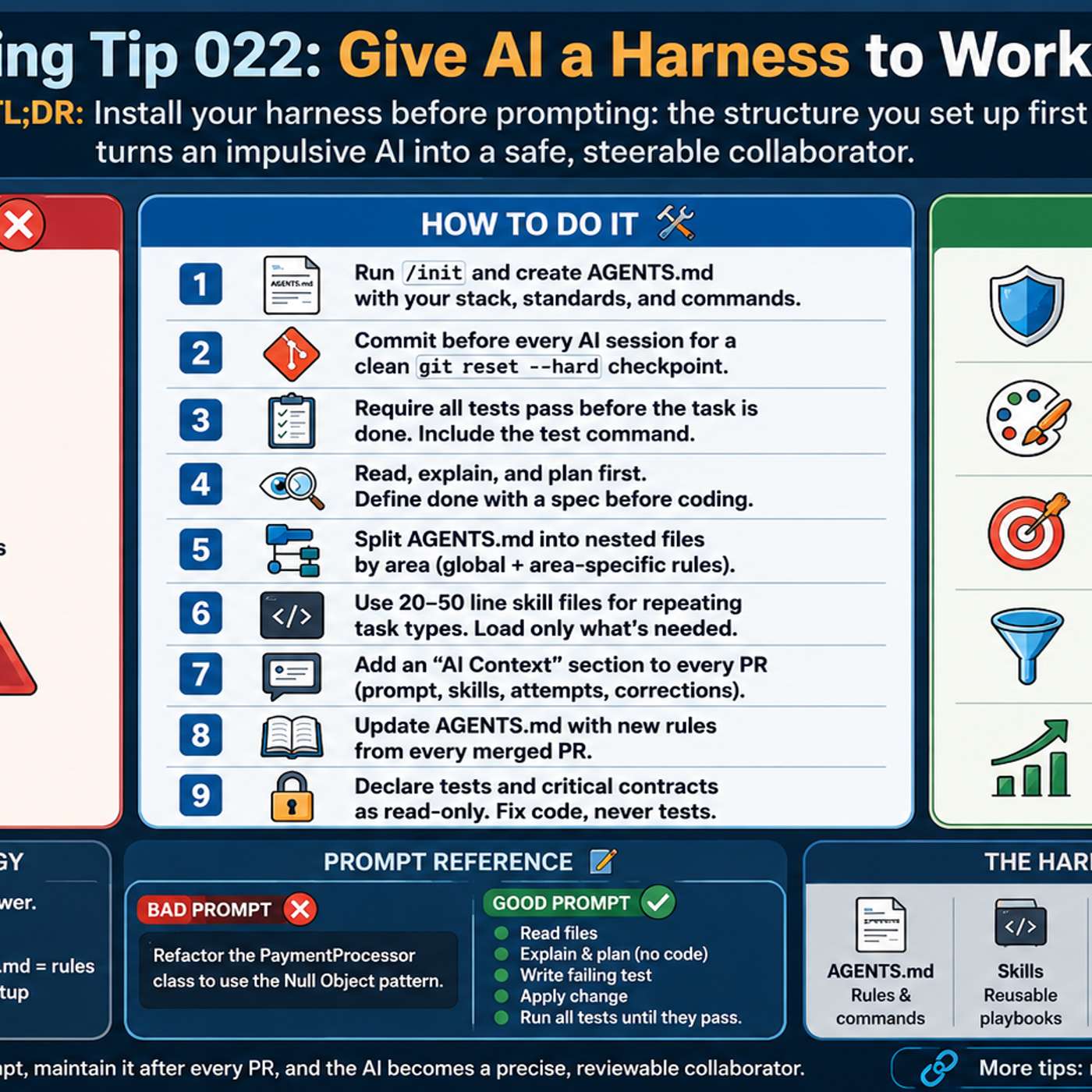
Structure AI context into three layers: a short global file for universal preferences, project-specific files for domain rules, and an indexed library of modular context files (e.g., business details) that the AI only loads when relevant, preventing context window bloat.

To manage complex projects across multiple sessions, mandate that your AI assistant saves every plan and decision into external markdown files. This creates a persistent project history that overcomes the AI's limited context window and also serves as a personal memory aid for part-time builders.

Instead of one large context file, create a library of small, specific files (e.g., for different products or writing styles). An index file then guides the LLM to load only the relevant documents for a given task, improving accuracy, reducing noise, and allowing for 'lazy' prompting.

Don't try to create a comprehensive "memory" for your AI in one sitting. Instead, adopt a simple rule: whenever you find yourself explaining context to the AI, stop and immediately have it capture that information in a permanent context file. This makes personalization far more manageable.
Go beyond single-chat prompting by using features like Claude's "Projects." This bakes in context like brand guidelines and SOPs, creating an AI "second brain" that acts as a strategic partner, eliminating the need to start from scratch with each new task.

AI agents have limited context windows and "forget" earlier instructions. To solve this, generate PRDs (e.g., master plan, design guidelines) and a task list. Then, instruct the agent to reference these documents before every action, effectively creating a persistent, dynamic source of truth for the project.