Get your free personalized podcast brief
We scan new podcasts and send you the top 5 insights daily.
A common failure with AI agents is underspecified prompts leading to incorrect implementations (e.g., a checkbox instead of a toggle). Video demos provide immediate visual feedback, creating a shared artifact that makes these misalignments obvious without needing to run the code locally.
Related Insights
A developer found that when his AI agent interacts directly with coding environments, it produces features with better value and fewer bugs compared to when he manually prompts an AI model himself. This suggests direct 'computer-to-computer' interaction is more effective for development tasks.
Atlassian found users struggled with prompting, using vague language like 'change logo to JIRA' which caused the AI to pull old assets. They embedded pre-written, copyable commands into their prototyping templates. This guides users to interact with the underlying code correctly, reducing hallucinations and boosting confidence.
When iterating on a Gemini 3.0-generated app, the host uses the annotation feature to draw directly on the preview to request changes. This visual feedback loop allows for more precise and context-specific design adjustments compared to relying solely on ambiguous text descriptions.

Comparing outputs from multiple models ("best of N") is often impractical due to the effort of reviewing huge code diffs. By having parallel agents generate short video demos, developers can quickly watch multiple versions and decide which approach is most promising.
AI tools rarely produce perfect results initially. The user's critical role is to serve as a creative director, not just an operator. This means iteratively refining prompts, demanding better scripts, and correcting logical flaws in the output to avoid generic, low-quality content.
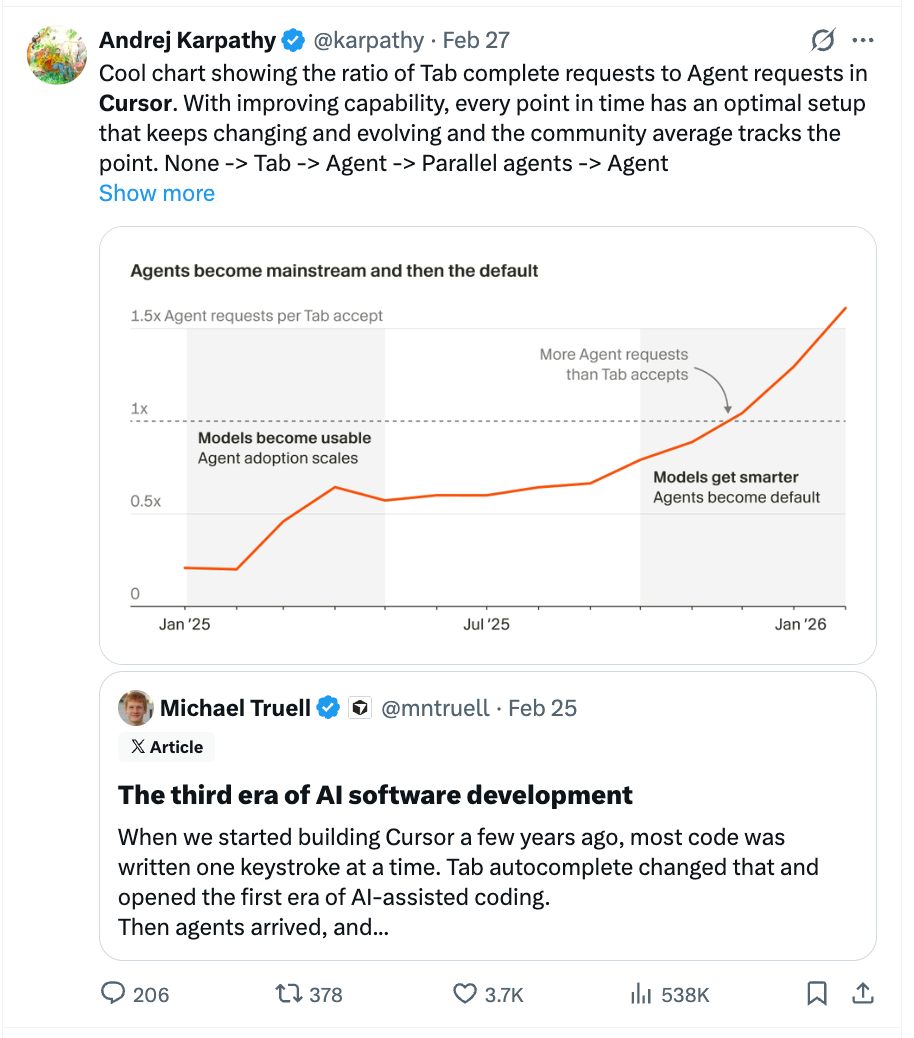
To combat the bottleneck of reviewing massive, AI-generated pull requests, Cursor's agents create video demos of the features they build. This provides a much more accessible entry point for human review than a giant diff, helping to quickly align on the direction.
To get the best results from an AI agent, provide it with a mechanism to verify its own output. For coding, this means letting it run tests or see a rendered webpage. This feedback loop is crucial, like allowing a painter to see their canvas instead of working blindfolded.
A powerful technique for creating robust software plans is to use AI as an adversarial partner. After drafting a specification, prompt an AI to "tear it apart" by identifying underspecified or inconsistent points. Iterate on this process until the AI's feedback becomes niche, indicating a solid spec.
Unlike talking to a developer, you shouldn't specify technologies in your prompts. The AI is poor at questioning your logic. Instead, focus on describing the desired user experience with extreme clarity, as any ambiguity will statistically be misinterpreted by the AI.

For bug fixes, Cursor's agents can be instructed to first reproduce a bug and create a video of it happening. They then fix it and make a second video showing the same workflow succeeding. This TDD-like "red-green" video proof dramatically increases confidence in the fix.