Get your free personalized podcast brief
We scan new podcasts and send you the top 5 insights daily.
Overwhelmed by emails from his kids' school, Andrew Wilkinson created an automation that ingests all school-related messages. The AI identifies crucial information like deadlines for field trips or packed lunch days, adds them to the family calendar, and sends him timely text alerts to prevent missed tasks.

Related Insights
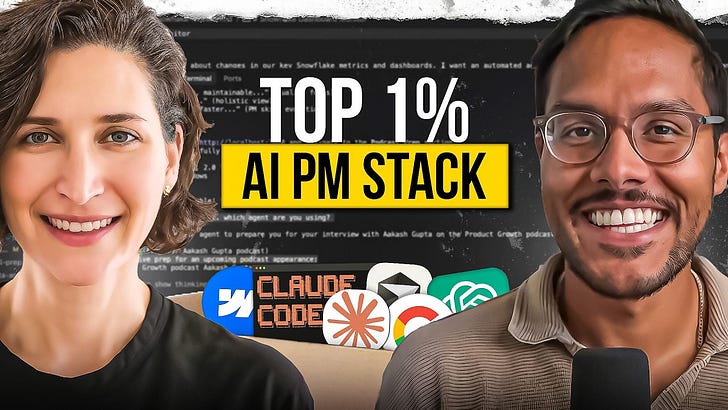
Webflow's CPO uses a custom set of AI agents built with Claude and Cursor to analyze her calendar for delegation opportunities and triage her inbox by archiving junk, flagging important emails, and drafting replies. This offloads significant cognitive and administrative load from the executive.
The CEO of ElevenLabs uses a human assistant and a script to triage his inbox. Emails are automatically labeled P0 (respond same day), P1 (respond within the week), or P2 (low priority). This system provides immediate clarity on what needs attention.

Frustrated with existing email tools, Wilkinson used Claude Code to build a web-based email triage system tailored to his exact workflow. This feat, which he compares to the years-long development of Superhuman, highlights the massive acceleration in software development enabled by AI.
Overwhelmed by Slack messages and internal documents? Build a Zapier agent connected to your company's knowledge base. Feed it your job description and current projects, and the agent can proactively scan all communications and deliver a weekly summary of only the updates relevant to your specific role.
An Executive Assistant at Zapier built an AI agent that automates her weekly meeting prep. The agent researches external attendees, checks the CRM and internal comms for context, and delivers a digest and tasks. This saves hours of manual work and ensures thorough preparation.
Create a single command that triggers scripts for your AI to consolidate tasks from various sources (like Trello), generate a daily to-do list in a notes app, and pull in new research. This streamlines your morning routine and provides immediate focus for the day.

An executive created a custom AI agent to handle repetitive tasks like meeting prep, calendar triage, and email. This "chief of staff" provides analysis, suggests delegations, and even offers blunt feedback, demonstrating how AI can be personalized to augment executive functions.

When dealing with frustrating emails, use an AI agent to first summarize the message into objective bullet points, separating substance from tone. Then, have the AI draft a polite, empathetic response. This preserves your emotional energy for more important work.
The next major leap for AI is its ability to connect disparate apps and data sources (email, calendar, location) to take autonomous actions. This will move AI from a Q&A tool to a proactive agent that seamlessly manages complex workflows.
Your calendar is the foundation of your execution system. Use AI to scan your schedule, find recurring blocks for deep work on key goals, and automatically suggest rescheduling conflicts. This moves AI from a passive assistant to an active agent that defends your most valuable resource: your time.
