Get your free personalized podcast brief
We scan new podcasts and send you the top 5 insights daily.
The AMP team considered killing its VS Code extension to reduce complexity but realized the ideal interaction model for AI agents is still unknown. Future use cases like async agents managed via web or phone make a GUI necessary, so they maintain both interfaces to avoid prematurely optimizing.

Related Insights
As underlying AI models become more capable, the need for complex user interfaces diminishes. The team abandoned feature-rich IDEs like Cursor for Claude Code's simple terminal text box because the model's power now handles the complexity, making a minimal UI more efficient.

The power of tools like Claude Code comes from giving the AI access to fundamental command-line tools (e.g., `bash`, `grep`). This allows the AI to compose novel solutions and lets product teams define new features using simple English prompts rather than hard-coded logic.
AI's impact on coding is unfolding in stages. Phase 1 was autocomplete (Copilot). We're now in Phase 2, defined by interactive agents where developers orchestrate tasks with prompts. Phase 3 will be true automation, where agents independently handle complete, albeit simpler, development workflows without direct human guidance.
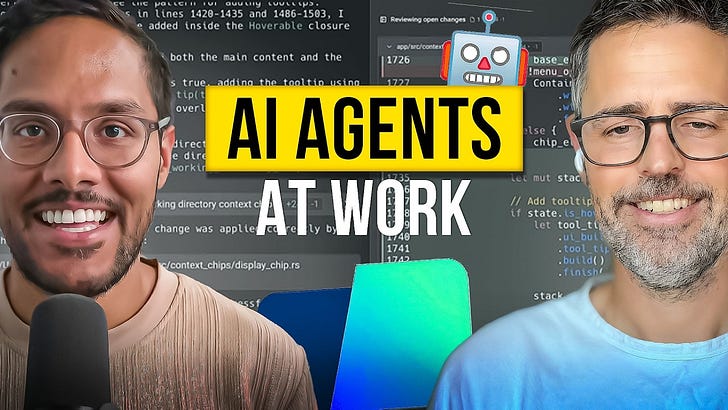
Structure your development workflow to leverage the AI agent as a parallel processor. While you focus on a hands-on coding task in the main editor window, delegate a separate, non-blocking task (like scaffolding a new route) to the agent in a side panel, allowing it to "cook in the background."
When building for AI-powered environments, design tools to be equally usable by humans and the AI model. An elegant, simple design for humans often translates directly into an effective tool for AI agents, simplifying development and promoting shared logic.
Features built to guide AI agents, like an explicit "plan mode," will become obsolete as models become more capable. The Claude Code team embraces this, building what's needed for the best current experience and fully expecting to delete that code when a new model renders it unnecessary.
The primary interface for managing AI agents won't be simple chat, but sophisticated IDE-like environments for all knowledge workers. This paradigm of "macro delegation, micro-steering" will create new software categories like the "accountant IDE" or "lawyer IDE" for orchestrating complex AI work.

The best UI for an AI tool is a direct function of the underlying model's power. A more capable model unlocks more autonomous 'form factors.' For example, the sudden rise of CLI agents was only possible once models like Claude 3 became capable enough to reliably handle multi-step tasks.
Open-ended prompts overwhelm new users who don't know what's possible. A better approach is to productize AI into specific features. Use familiar UI like sliders and dropdowns to gather user intent, which then constructs a complex prompt behind the scenes, making powerful AI accessible without requiring prompt engineering skills.

The ideal AI-powered engineering workflow isn't just one tool, but a fluid cycle. It involves synchronous collaboration with an AI for planning and review, then handing off to an asynchronous agent for implementation and testing, before returning to synchronous mode for the next phase.